at the speed of thought.
Mosine turns your private markdown files into small, linkable cards. Store and retrieve information in just a few keystrokes.
01 · Write
Capture complex ideas quickly.
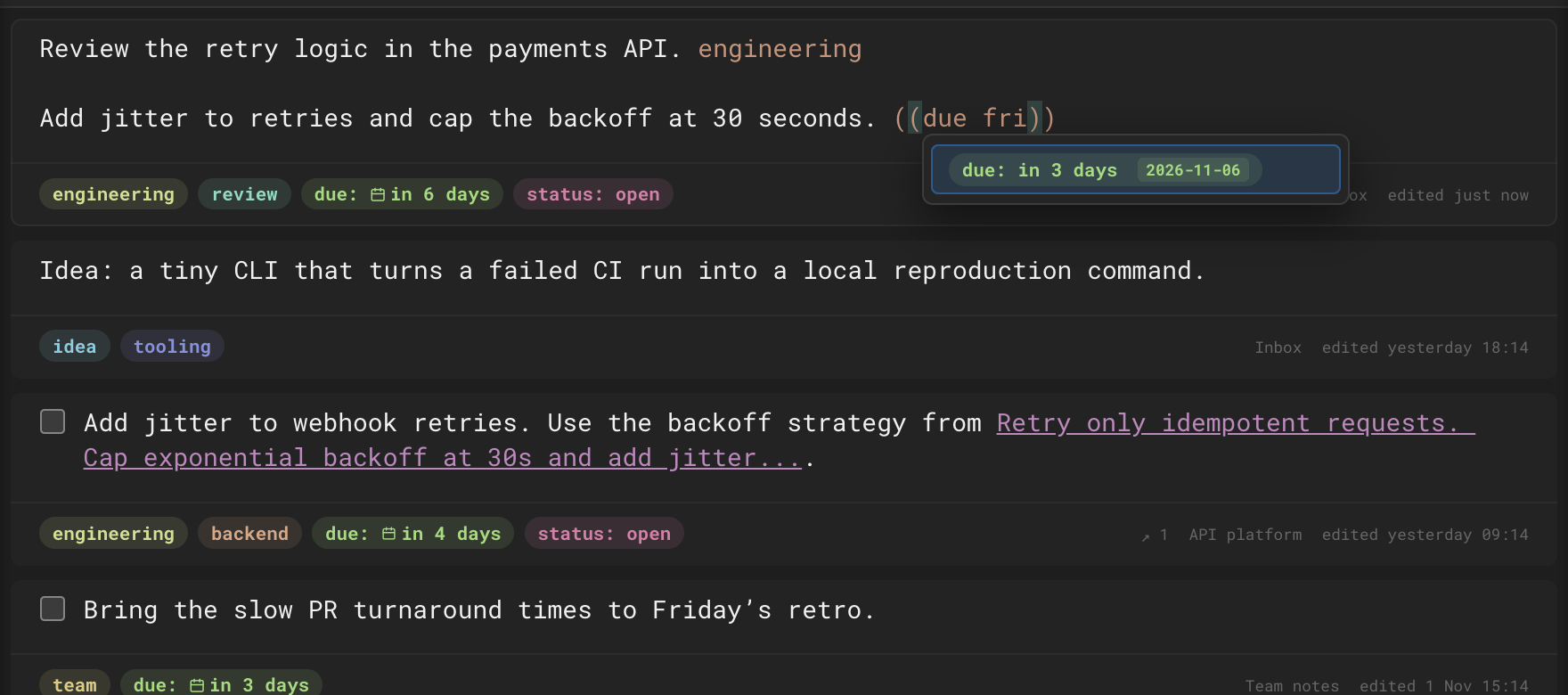
A card can be anything from a single-line todo to an essay. Tags group related ideas, while attributes add details like due dates, priorities, and status. Add them as you type, without breaking your flow.
- Tags group related cards. Type
#tagor((tag))to add one, with suggestions from tags you already use. - Attributes can be anything you want: a due date, priority, URL, score, or something specific to your work. Try
((priority: high))or((due: today)).
02 · Link
Link thoughts, not files.
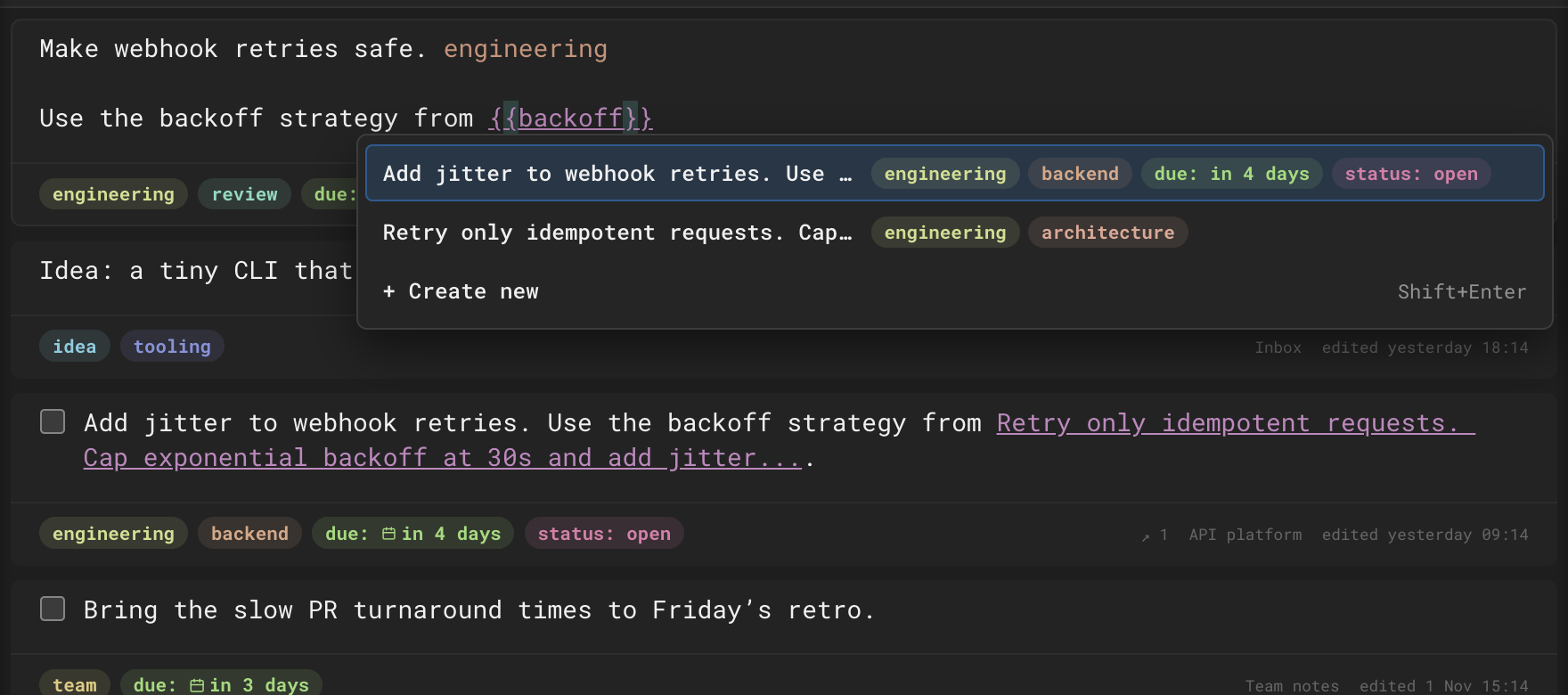
In Mosine every card has its own id, so you can link to it with {{ }}, embed it with !{{ }} and see what points back at it.
- Links, embeds and backlinks all work on a single card.
- Each card has a counter ↗ 3 ↙ 5 that opens everything connected to it.
- Explore connections between cards in the graph view.
03 · Search
Find exactly what you need.
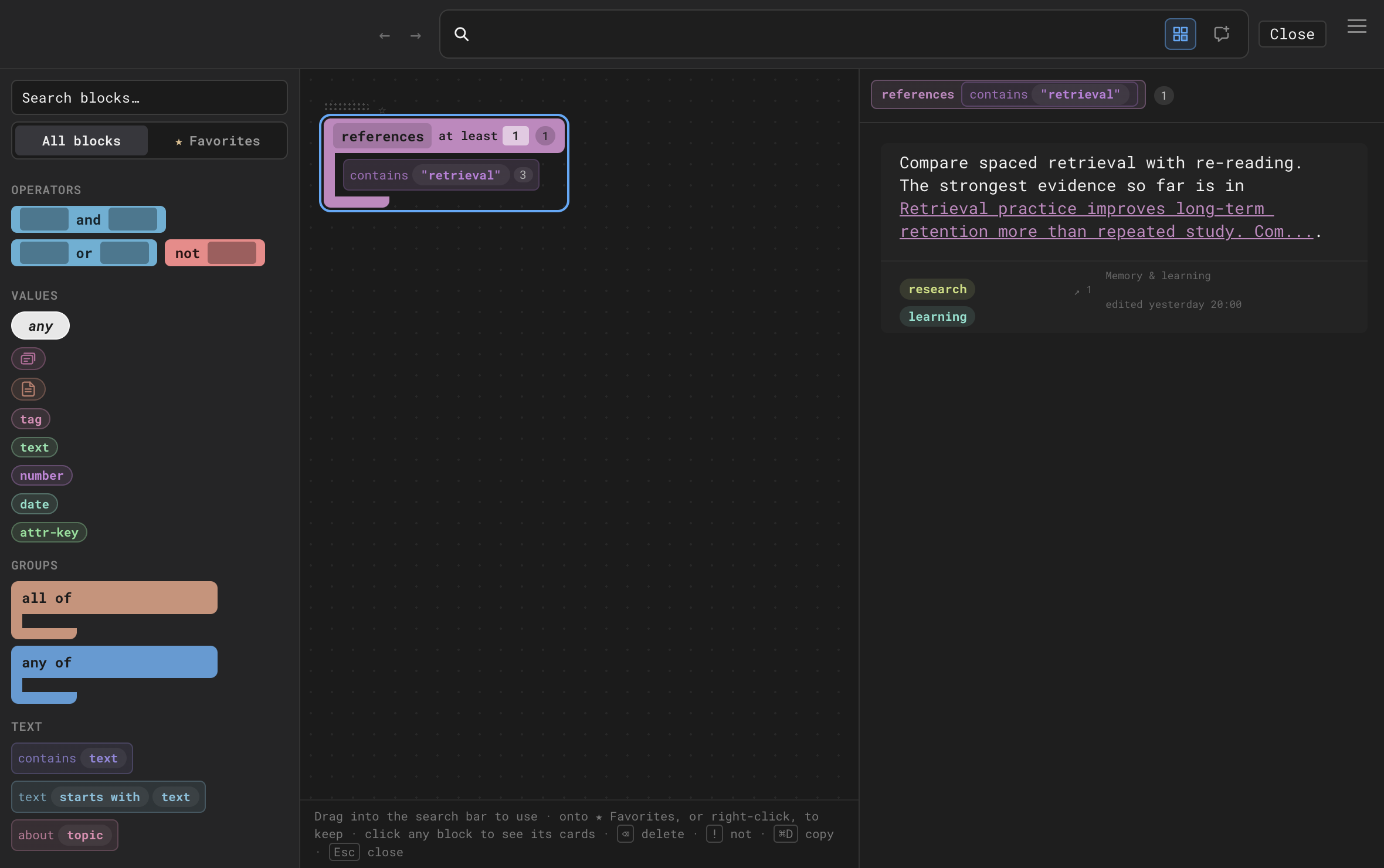
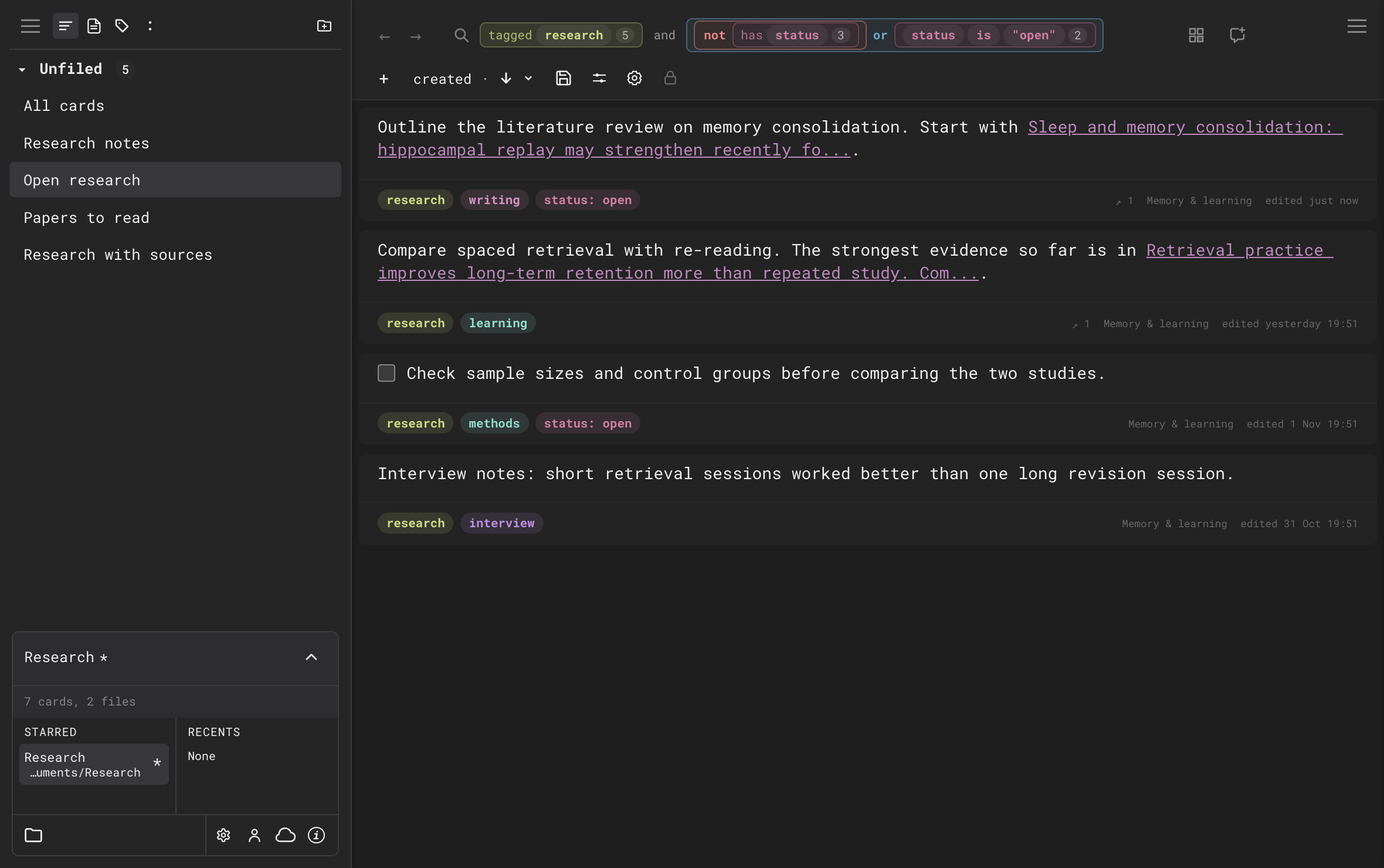
Search in plain text right from the search bar: type #research, due this week or not done. For more complex queries, use the query builder to combine and nest conditions as visual blocks.
- Save any query as a view to come back to it.
- Combine blocks with and, or and not, nest them, and filter by what cards link to.
- Search by meaning with the about block.
04 · OWN YOUR DATA
It's just Markdown. Really.
Your vault is just a collection of .md files. Metadata sits in a comment separating the cards. You can import any existing .md file as a single card, no transformation required. Mosine builds an index of your notes under the hood.
<!-- page: {"tags":["research"]} -->
<!-- card: {"id":"k3f9a2","tags":["neuroscience"]} -->
Memory isn't stored, it's *rebuilt* each time you
recall it, which is why {{p81c0d}} works at all.

!{{r2d7e4}}
<!-- card: {"id":"m7q1x0","attributes":{"status":"open"}} -->
Follow up with Priya on the dataset licence
((due: 2026-10-30)) #research
- [ ] Ask about [[EEG dataset]] retention
- [x] Send the consent form05 · Private
Lock sensitive information.
Use tags to designate encrypted cards, allowing sensitive information to remain private. Keep team 1-1s and credentials locked until you need them.


06 · Agents
For the agentic worker.
Connect your agent to Mosine with MCP. Let it search your notes, add tasks and save what matters from your conversation.
With Pro, use Global MCP to access your notes from anywhere.
Add a task in Inbox to review Maya's API changes.
mosine - create_card (MCP)
{
  "filename": "Inbox",
  "content": "- [ ] Review Maya's API changes"
}
└ Card created in Inbox.
Added “Review Maya's API changes” to Inbox.
Mosine Pro
Your notes. Everywhere.
The desktop app is free. Add Pro for sync, web access and connected tools.
| Free forever$0 | Pro$4.99/ month | |
|---|---|---|
| Markdown cards, tags & attributes | ✓ | ✓ |
| Links, embeds, backlinks & graph view | ✓ | ✓ |
| Search, query builder & saved views | ✓ | ✓ |
| Encrypted cards | ✓ | ✓ |
| Local AI models & local MCP | ✓ | ✓ |
| Sync across devices | Not included | ✓ |
| Mosine for web | Not included | ✓ |
| Global MCP Connect AI agents to your notes from anywhere. | Not included | ✓ |
| Hosted AI Use cloud models for Cmd+K and Ask. | Not included | ✓ |
| Calendar feeds Subscribe to your events in your calendar app. | Not included | ✓ |
| Get started | Get Mosine | Get Pro |
Join the Open Beta
Email us to join the beta.
join@mosine.md